Knowledge base · Tools
How to open an .iolm file from an EXFO instrument
An .iolm file is written by the iOLM application on EXFO OTDRs. An ordinary trace viewer does not read it, because it is not Bellcore. Here it opens in the browser: the curve, the event table with distances and losses, the link length, total loss and ORL. There is nothing to install.
.sor and .trc files from the same instruments open with the same button.
By Vera (new to the field) ·
On this page
What this file is
How it differs from the trace you are used to.
The application
iOLM runs on EXFO MaxTester and FTB instruments, on the same module as the regular OTDR. The operator starts a test and gets a diagram of the link with a result for each element.
What it records
A regular OTDR takes one averaged trace with one set of settings. iOLM measures the link with a series of acquisitions at different pulse widths and combines them into one result: a list of link elements, each with its distance, loss and reflectance.
How to recognise it
The extension is .iolm. If the file has been renamed, open it as it is: the format is recognised from the contents, not the name.
What opens it
On the instrument the result is viewed in iOLM itself, and on a computer EXFO FastReporter reads it. FastReporter is a Windows program. A client or a colleague without it cannot open the file, which is why a .sor is often requested along with the .iolm. The instrument writes a .sor next to the result only when that is switched on in its settings.
Here there is nothing to install. Drop the file into the window or press Open file. It works on Windows, macOS and Linux, on a tablet and on a phone. A .zip, .7z or .rar archive does not need unpacking.
What you will see
The trace of the link and the event table. The table lists the elements the instrument found on the link: connectors, splices, the end of the fibre. Each has its distance, loss and reflectance. Above the curve are the link length, total loss and ORL. The instrument recorded all of these figures, and we do not recalculate them.
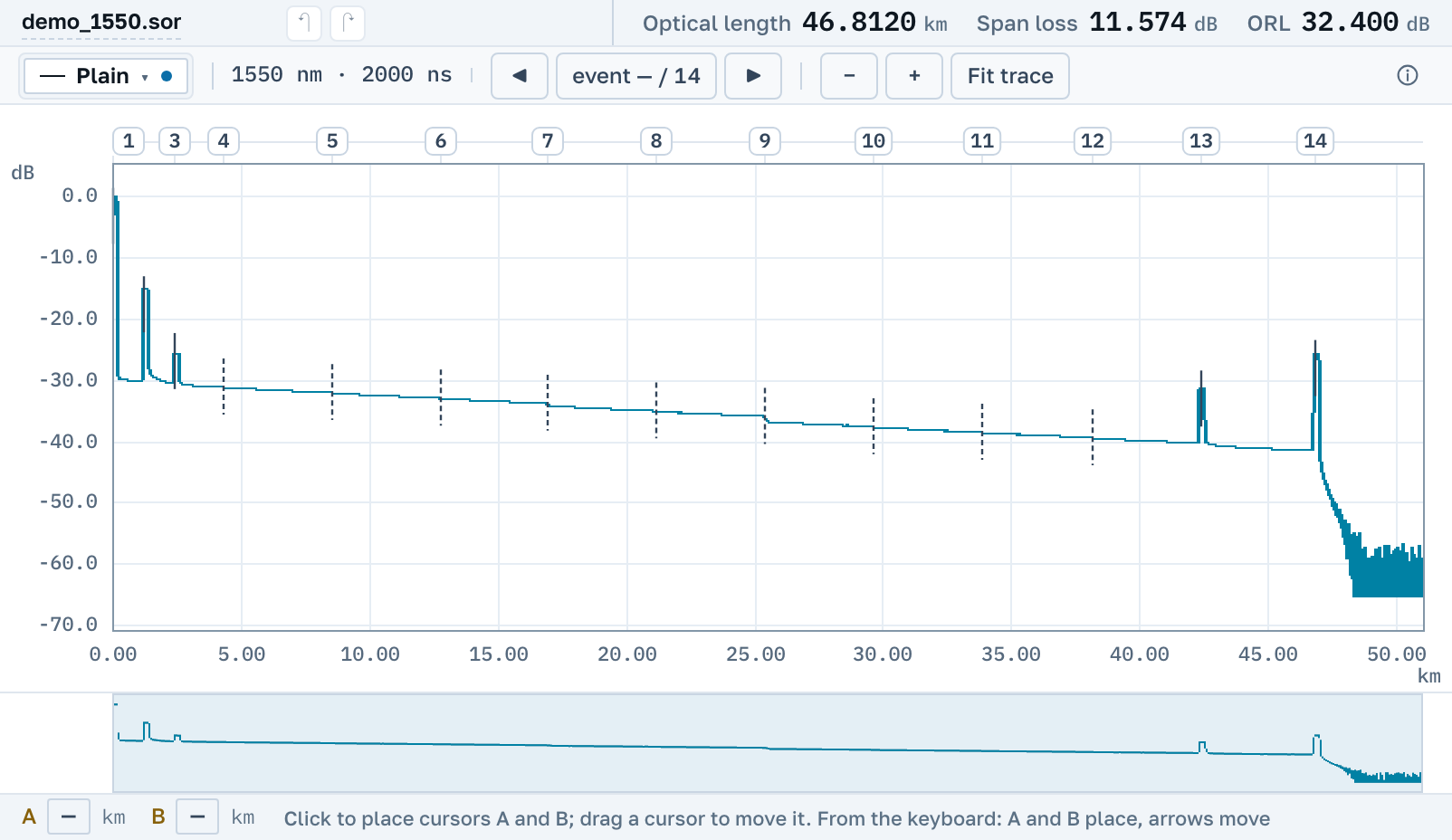
If the link was measured at two wavelengths, the app asks which one to open and offers to open both at once. The curves go on one plot, and each wavelength keeps its own losses and reflectances.
The parameters hold the acquisition header: instrument model and serial number, wavelength, pulse width, index of refraction, the job and fibre names. Cursors, 2P, LSA and 5P work on this trace the same way as on any other.
What the file may not contain
The instrument takes the curve for display as a separate step of the test. If the file holds only a power meter measurement, there is no trace in it, and such a file will not open here.
There is no icon diagram of the link here, as on the instrument screen: the link elements are rows of the event table. We do not show the instrument's verdict or its thresholds. You can set your own on the Limits tab, and the table will mark what exceeds them.
A PDF report and a .sor file
The open trace gives a PDF report: the plot, the event table and the acquisition header on one sheet. You can hand it to a client who has no EXFO software.
.iolm opens here for reading. To edit the trace or pass it on, turn it into an ordinary Bellcore file: start an edit and the app offers Convert to .sor. A copy appears alongside that any OTDR program opens, and the original file stays as it was. The copy records which file it was made from.
Common questions
What should go to the client, .iolm or .sor?
Whatever the contract names. If it names no format, any OTDR program opens a .sor, while few read an .iolm. A PDF needs no program at all.
Why does the instrument show a diagram and this page a plot?
They are two views of one result. The instrument also has a trace view with an event table, opened from the list of elements. This is the view shown here.
Will it open on a phone?
Yes, in the phone's browser. Save the file from mail or a messenger to the device first, then pick it with the open button.
If the file does not open
We read this format from real files, and application versions vary. If your .iolm does not open, send it to support@otdrmaster.com: files like that are how the reader learns.
Next
OTDR Master works independently of instrument makers and sellers. EXFO, iOLM, MaxTester and FastReporter are trademarks of their owners.