What comes across
- The whole curve, along its full length
- The event table as the instrument recorded it
- Acquisition settings: wavelength, pulse, range, refractive index
- The acceptance thresholds the operator set on the instrument
Files from EXFO, Anritsu, Yokogawa, VIAVI, Fluke and other instruments: look at the events, measure a section and download a PDF report. Nothing to install.
FreeNo sign-upComputer, tablet and phone
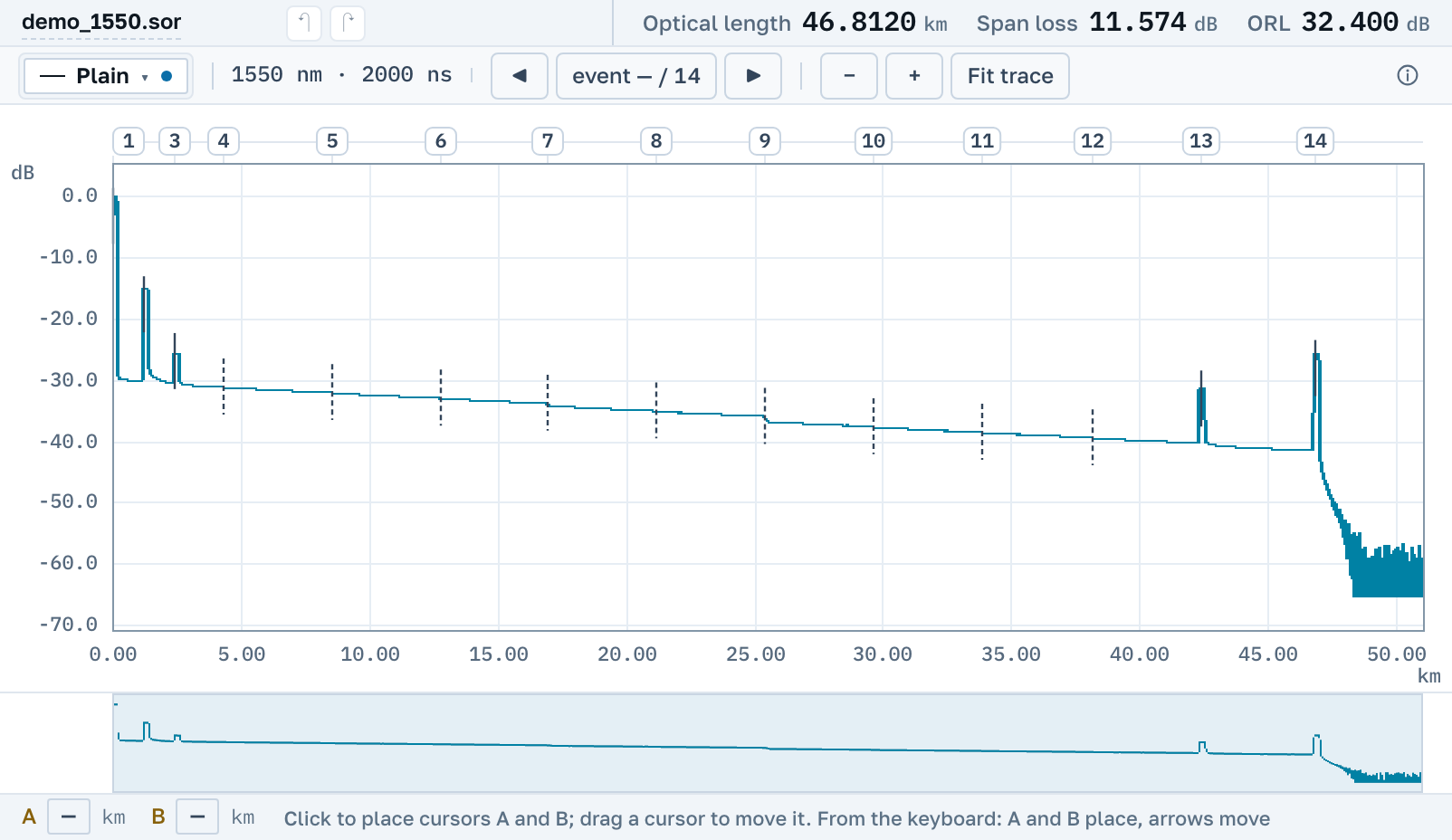
Length, loss and ORL show before the curve does.
What the instrument recorded and what we found stand apart.
Section loss by two methods, from the keyboard or with a finger.
Files from these instruments open
EXFOVIAVIAnritsuYokogawaFlukeINNOAFLWavetek
Formats
Every format was worked out from real instrument files, not from a spec sheet. Bring yours: if it doesn't open, we'll teach the service to read it.
.sor.trc.bdr.csor.trcx.tst.TFW.WTK.zip · .7z · .rarEXFO · VIAVI / JDSU · Anritsu · Yokogawa · Tribrer · FIBERCLOUD · Grandway · Fluke · AFL / Noyes · NOVKER
Conversion
.sorA .trc, .tst or .TFW trace that only the instrument maker's software could read is saved as .sor. Any OTDR program can open it, and so can your customer.
The .sor format does not have every field the instrument has. It has no code for a ghost, for example, and not every reflectance threshold fits. We neither drop nor bend such things: they stay inside the same file, and you see them again the next time you open it here.
.sor? The instrument's blocks stay wholeWe change only what you changed. The maker's own blocks go into the saved file byte for byte, and the maker's software opens it as its own.
How it works
One trace or a whole shift's worth at once. An archive opens as it is, with no need to unpack it.
The event table, cursors A and B, section loss by two methods. Enter the limits from the contract and breaches turn red.
A PDF report per fibre with the curve, events and totals, an ordinary .sor, or a link: the trace opens in the recipient's browser with nothing to install.
Fibre measurement report
| No. | km | Event | Loss, dB | Reflectance, dB |
|---|---|---|---|---|
| 2 | 1.204 | Connector | 0.31 | −17.0 |
| 3 | 2.408 | Connector | −37.4 | |
| 4 | 4.318 | Splice | 0.09 | |
| … | ||||
| 13 | 42.360 | Connector | 0.44 | −29.1 |
| 14 | 46.812 | Fibre end | −15.0 |
Point your phone camera at the code: this is how your customer sees the trace.
Plans
Free, no sign-up
$0
Look at a measurement right now, yours or someone else's.
.sorNeed a PDF report? Available with no sign-up and no payment.
Open a fileFree, email sign-in
$0
You work with traces regularly, and the work should not vanish when the tab closes.
You sign in with a link from an email, no password needed.
Sign inPaid
$9.99 a month
$119.88 in one payment for the year
.sor filesYou can try Professional free for 3 days, with everything on the card. Once per account.
I want Professional for a yearService passport
Where it runs, what it gives you and where to write.
.sor, a PDF sheet, a CSV tableAfter editing, the file opens in the instrument maker's softwareDrag a trace into the frame or pick it from your disk. It is free, with no sign-up.