AFL / Noyes
Open an AFL or Noyes OTDR file without TRM
.sor files from AFL and Noyes OTDRs open in the browser: FlexScan FS200, the M series (M200, M310, M700), OFL280, FLX380. You see the trace, the event table and what the instrument recorded about the shot. There is nothing to install, and any operating system will do.
Many AFL instruments, FlexScan included, write Noyes in the maker field. Such a file opens just the same.
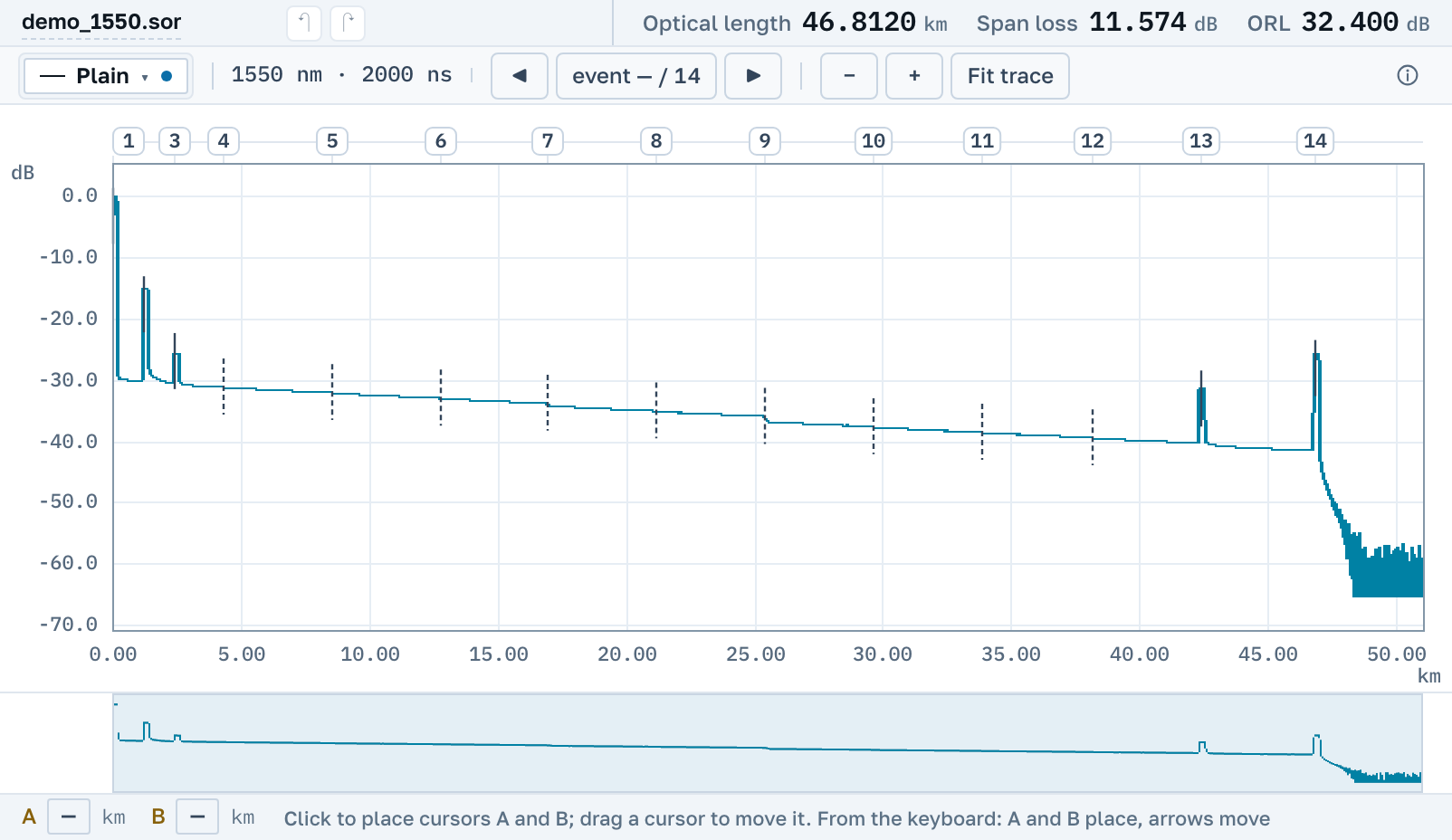
What you will see
AFL and Noyes write an ordinary Telcordia .sor. We read all of it, the way the instrument wrote it.
The trace and its events
The trace with zoom and cursors A and B, 2P and LSA readings between them, and the instrument's event table: connectors, splices, the fibre end, with loss and reflectance.
Three wavelengths of one fibre
AFL saves a tri-wavelength test as three separate .sor files sharing the start of their name. Open all three and the curves go onto one chart, each in its own colour.
Saving back to .sor
An edited trace can be saved as .sor. The Noyes blocks the instrument adds to the file stay in place byte for byte.
No need to install TRM
AFL's own PC program is TRM (Test Results Manager): version 2.0 for the M series and FlexTester, version 3.0 for FlexScan. Both run on Windows only. The Basic licence comes with the instrument; without it the program runs for 30 days as a trial. FlexScan also has FlexReports, again for Windows.
Here the file opens by link in the browser: on Windows, macOS and Linux, on a tablet and on a phone. No account needed. The PDF report and a link for a colleague are made right there, free.
Both ends of one fibre
For an M310 to average a bidirectional test, both files have to be on that M310. In TRM, bidirectional analysis comes only with the paid Advanced version.
With us, you open the traces from both ends and say which one is the reverse. A shared table appears with each splice's own figure, the reverse one and their average, and you pay nothing for it.
Nearby
.sor file→
OTDR trace report as PDF→
Several traces on one chart→
How to read an OTDR trace→
Bidirectional testing: why a splice shows a gain→
What the events on a trace mean→
By manufacturer
OTDR Master works independently of instrument makers. AFL, Noyes, FlexScan, FlexTester, TRM and FlexReports are trademarks of their owners; we are not affiliated with the company and do not publish its software, we only read the files its instruments write.