Knowledge base · Tools
How to open a WTK file from a Wavetek MTS 5000 OTDR
A .wtk file was written by an OTDR on the Wavetek MTS 5000 platform. Of the vendor's programs, VIAVI FiberCable 2 reads it, and it needs a vendor licence. Here the same file opens in the browser: the trace, the instrument's event table and the acquisition settings, with nothing to install and no licence.
.sor files from instruments on the same platform open with the same button.
By Vera (new to the field) ·
What this file is
Where it comes from, and why old archives are full of them.
The instrument
The MTS 5000 was sold as Wavetek, then as Acterna and JDSU, and today the line belongs to VIAVI. The OTDR module plugged into a mainframe such as the MTS-5200.
The format
When saving, the instrument offered three formats: its own WTK and two revisions of Bellcore .sor. The MTS-5200e manual recommended WTK, so contractors who worked with these instruments often kept their measurements that way.
How to recognise it
The extension is .wtk or .WTK. If the file has been renamed, open it as it is: the format is recognised from the contents, not the name.
What opens it
VIAVI FiberCable 2 reads .wtk through its MTS 5000 file import. It is a Windows program, and it runs under a vendor licence. When the instrument was retired long ago and a measurement has to go to a client or be compared with a new one, buying the program for an archive is awkward.
Here there is nothing to install. Drop the file into the window or press Open file. It works on Windows, macOS and Linux, on a tablet and on a phone. A .zip, .7z or .rar archive does not need unpacking, and a whole folder of traces can be dropped at once.
What you will see
The trace over its full range and the event table the instrument recorded: distance to each event, loss, reflectance and the slope of the section before it. The parameters hold the acquisition header: instrument and module with their serial numbers, wavelength, pulse width, index of refraction, number of averages, cable, fibre, operator and the date of the measurement.
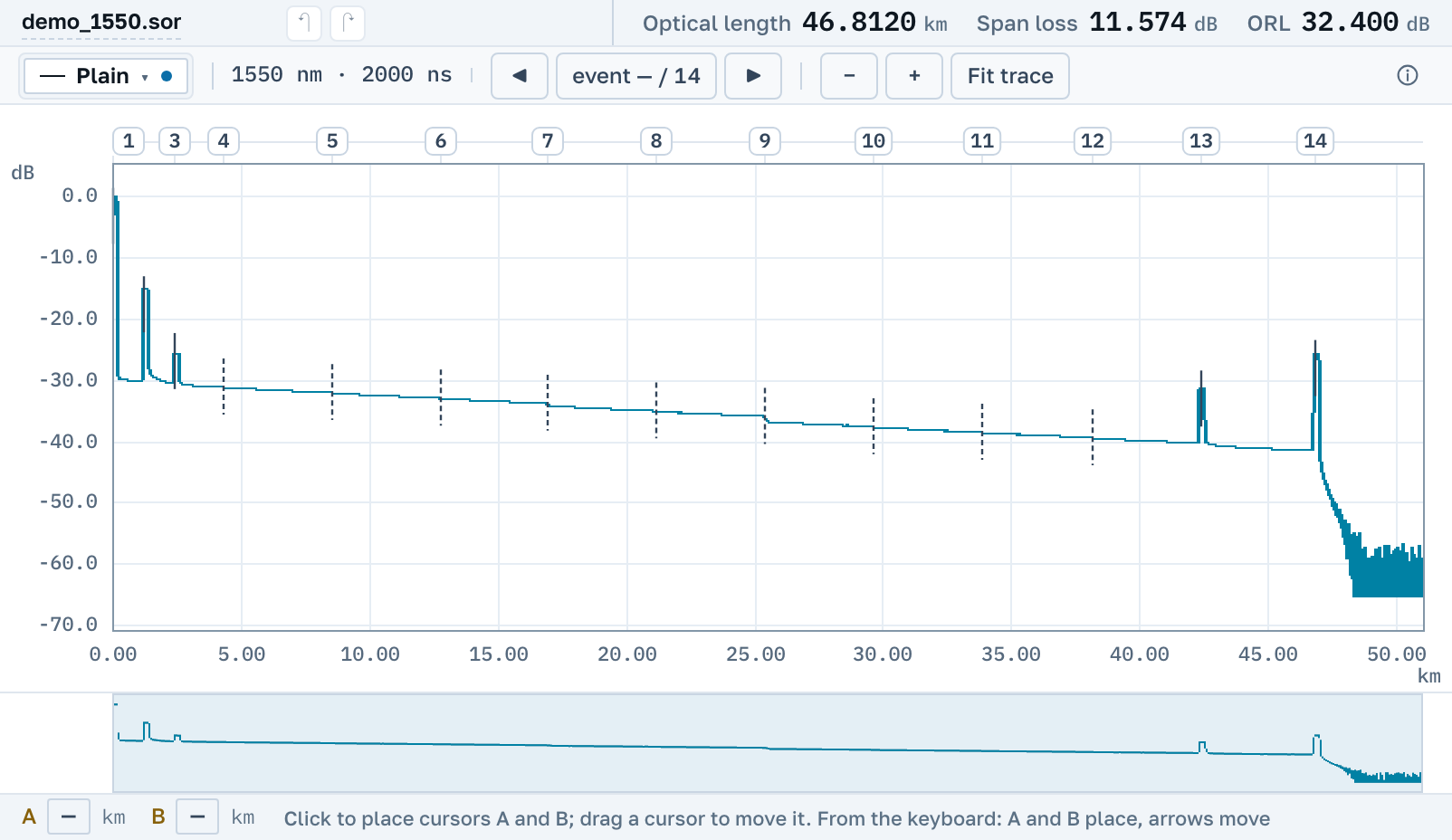
Cursors, 2P, LSA and 5P work on this trace the same way as on any other. Neighbouring fibres, or a new measurement of the same link, can go on the same plot.
If the fibre was measured from both ends, open both files and press Choose the reverse trace. The events of the two directions line up against each other, and splice losses are taken as the average of the two measurements.
Save as .sor
.wtk opens here for reading. To edit the trace or pass it on, turn it into an ordinary Bellcore file: start an edit and the app offers Convert to .sor. A copy appears alongside that any current OTDR program opens, and the original file stays as it was. The copy records which file it was made from.
A PDF report comes from the trace too: the plot, the event table and the acquisition header on one sheet.
If the file does not open
We read this format from real files, and instrument firmware varies. If your .wtk does not open, send it to support@otdrmaster.com: files like that are how the reader learns.
Next
Program and instrument names belong to their owners; we are not affiliated with VIAVI and do not distribute its software.