EXFO · FasTesT · OLTS
Open an EXFO .olts file without FastReporter
EXFO loss test results in .olts and .oltsx files open in the browser. You see the loss of each fibre in both directions, the limit, the margin and the verdict. There is nothing to install, and any operating system will do.
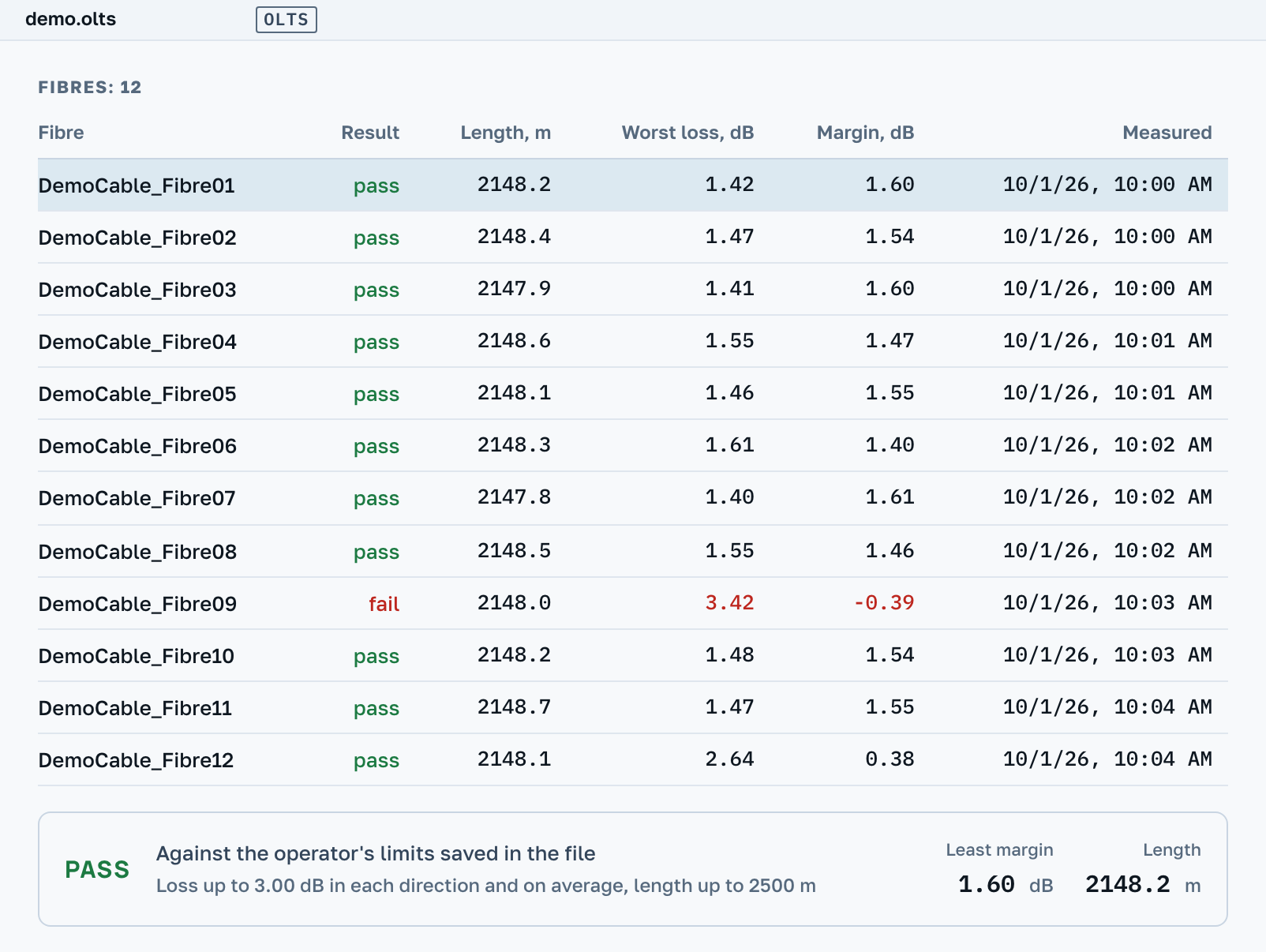
The picture shows our own example: its figures are made up, and no instrument took it.
What you will see
Such a file has no curve, so a result card takes the place of the chart. If the file holds several fibres, their table stands above it.
Loss and margin
The loss from A to B, from B to A and their average at each wavelength, the limit and the margin to it. Next to them, ORL from both ends and the length of the link.
The verdict
If the operator set the limits, they are written in the file as numbers, and the verdict is worked out from them the same way EXFO's program does it. If the file only names a standard, there is no verdict: we ship no norm values.
Reference and instruments
The reference method and the grade of the test cords, the reference power of both sides, the test cord check. Both instruments with their serial numbers and calibration dates.
No need to install FastReporter
EXFO's own program for .olts files is FastReporter. It runs on Windows and has to be installed.
Here the file opens in the browser: on Windows, macOS and Linux, on a tablet and on a phone. No account needed.
A PDF sheet prints for the selected fibre, and you can type the site and the ends of the link into its header. After signing in by email the sheet carries a code and a QR: your customer uses them to open the same result in their own browser. On the Professional plan the sheet prints on your template, with your logo and company details. A summary sheet for all the fibres of the file, with the outcome and the table of fibres on its first page, is part of the Professional plan too.
Which results open
They are told apart by the content of the file, not by its name. Among the instruments whose results open are the PX1, MaxTester 945, FTB-3930 and FOT-930.
Automatic measurement
A FasTesT result in an .olts file: one fibre or a duplex pair, in one direction or in both. A duplex record prints the length of the pair.
Manual measurements
A power meter reading: loss against a reference with a limit, or power with a window of “not below” and “not above”. A manual ORL measurement opens too. An .opm power meter file opens as the same card: loss or power fibre by fibre, and for an MPO connector all twelve fibres with the polarity. The same result saved as .json opens too.
.oltsx files
Results from earlier generations of instruments. Loss and ORL are worked out from the recorded powers, and the verdict is given against the operator's limits if there are any.
What is not here
- The file opens read-only. There is nothing to edit in it, and no
.sorcan be made from it: it has no curve. - No verdict is given by the name of a standard. The loss and the standard are named on the screen, and you can check them against your own document.
Nearby
.trc, .sor, .bdr→
Fibre tests from a Fluke LinkWare database→
How much attenuation is allowed→
OTDR Master works independently of instrument makers and sellers. EXFO, FasTesT and FastReporter are trademarks of their owners.