Tribrer · T3 · T3Lab
Open a Tribrer OTDR file on your computer
.sor files from the TB-700 and the Tribrer mini OTDRs open in the browser: the trace, the event table and the instrument header. There is nothing to install, and any operating system will do.
Inside the file the instrument calls itself T3 or T3Lab. It is the same maker, Zhejiang Tribrer.
What you will see
Tribrer writes an ordinary Telcordia .sor. We read all of it, exactly as the instrument wrote it.
Trace and events
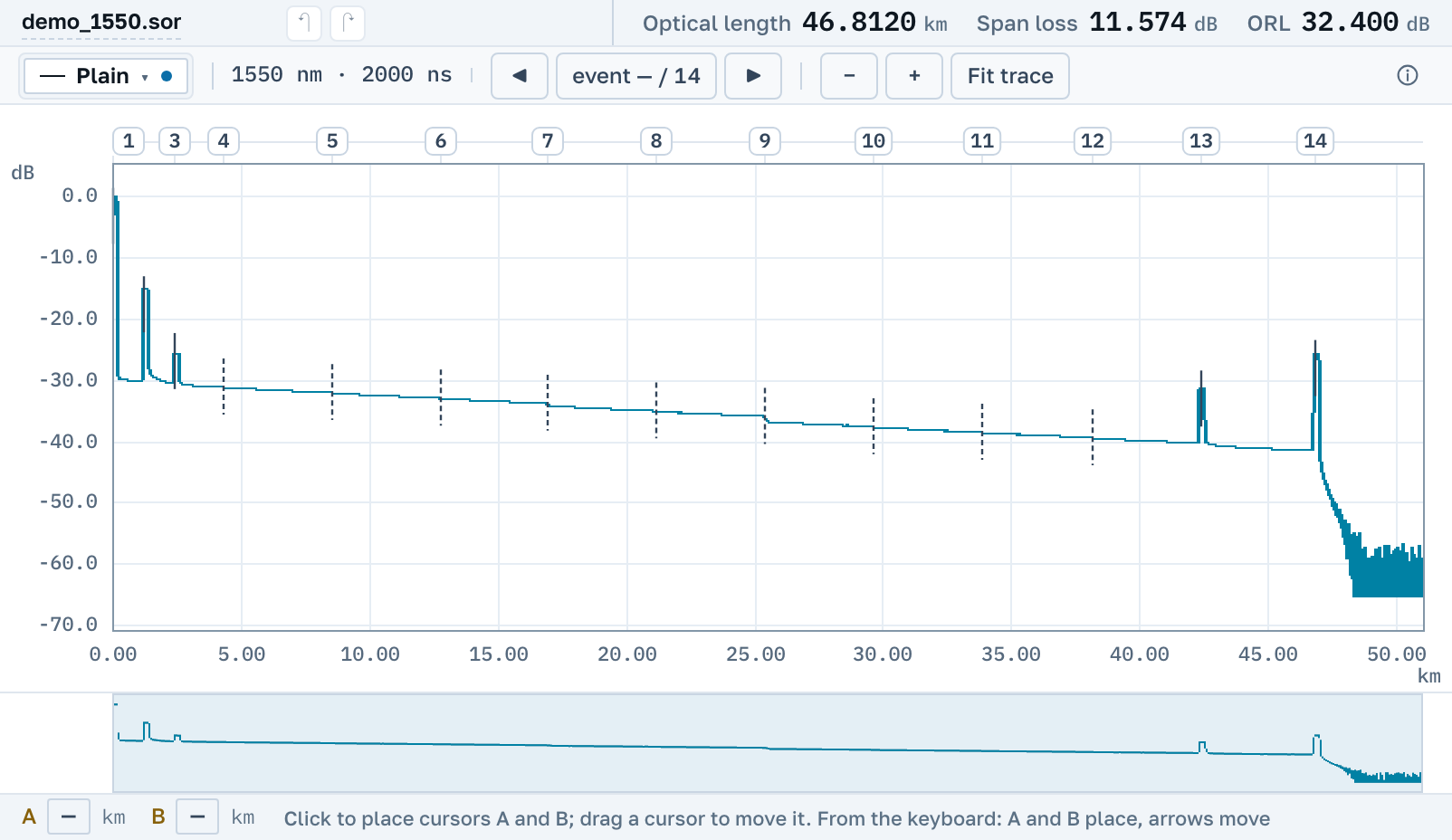
The trace with zoom and cursors A and B, and the instrument's event table: connectors, splices and the fibre end, with loss and reflectance.
Instrument header
Model, serial number, software version, wavelength and pulse, date of the shot. The instrument wrote all of this into the file itself.
Any wavelength
1610 nm included. Traces at different wavelengths can be laid over one another on a single chart.
No separate program needed
The TB-700 manual tells you to connect the instrument to a computer over USB and open it as a flash drive. It does not name any program for viewing traces on the computer. The maker does have an Android app.
Here the file opens by link in the browser: on Windows, macOS and Linux, on a tablet and on a phone. No account needed.
Getting the file off the instrument
1. Connect over USB
Plug the OTDR into your computer with a USB cable. It shows up as a removable drive, and so does the TF memory card if you saved traces to it.
2. Copy the .sor
Copy the .sor files to your computer. On a phone it is easier to send the file to yourself in a messenger and open this page right there.
3. Open it in the browser
Open the app and drag in or pick one file, several at once or a .zip archive. The PDF report and a link for a colleague are made right there, free.
Nearby
.sor file→
OTDR trace report as PDF→
Several traces on one chart→
How to read an OTDR trace→
Downloading OTDR software, and when you do not need to→
What the events on a trace mean→
By manufacturer
OTDR Master works independently of instrument makers. Tribrer is a trademark of Zhejiang Tribrer Communication Technology; we are not affiliated with the company and do not publish its software, we only read the files its instruments write.