MOT · MOT 50 · MOT3000
Open a MOT OTDR file on your computer
.sor files from the MOT 50, MOT 33 and MOT3000 open in the browser. You see the trace, the event table and what the instrument recorded about the shot. There is nothing to install, and any operating system will do.
Inside the file the instrument writes its model, for example MOT50 or MOT3000, and leaves the maker's name empty. The file opens all the same. A file from another MOT model is worth trying too.
What you will see
These instruments write an ordinary Telcordia .sor. We read all of it, the way the instrument wrote it.
The trace and its events
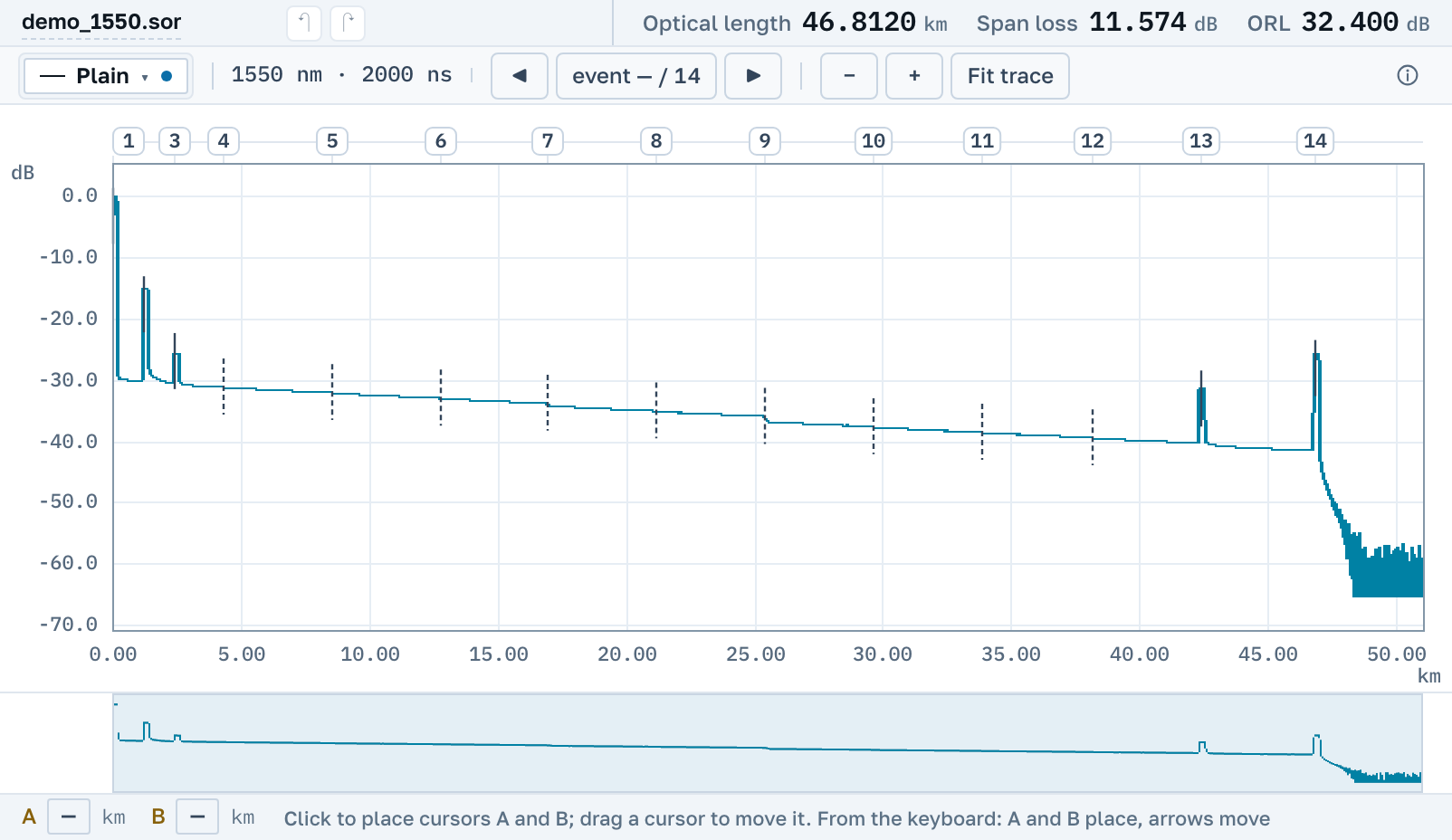
The trace with zoom and cursors A and B, 2P and LSA readings between them, and the instrument's event table: connectors, splices, the fibre end, with loss and reflectance.
1310 and 1550 nm together
The instrument saves each wavelength as a file of its own. Open both and the two curves go onto one chart, each in its own colour.
A whole site at once
Open one trace, a folder of files from one ODF or a .zip archive. The list keeps every file, and you switch between them with one click.
You do not need a program on the computer
The file opens without the program that came with the instrument and without the computer it was installed on.
Here the file opens by link in the browser: on Windows, macOS and Linux, on a tablet and on a phone. You do not need an account. You make the PDF report and a link for a colleague in the same place, free.
Nearby
.sor file→
OTDR trace report as PDF→
Several traces on one chart→
How to read an OTDR trace→
Downloading OTDR software, and when you do not need to→
What the events on a trace mean→
By manufacturer
OTDR Master works independently of instrument makers and sellers.