Fluke · OptiFiber · OptiFiber Pro
Open a Fluke OTDR file without LinkWare
.tst files from Fluke Networks OptiFiber and OptiFiber Pro OTDRs open in the browser. You see the trace at each wavelength and what the instrument recorded about the shot. There is nothing to install, and any operating system will do.
We open OTDR traces only. Copper certification results (DSX, .flw files) do not open.
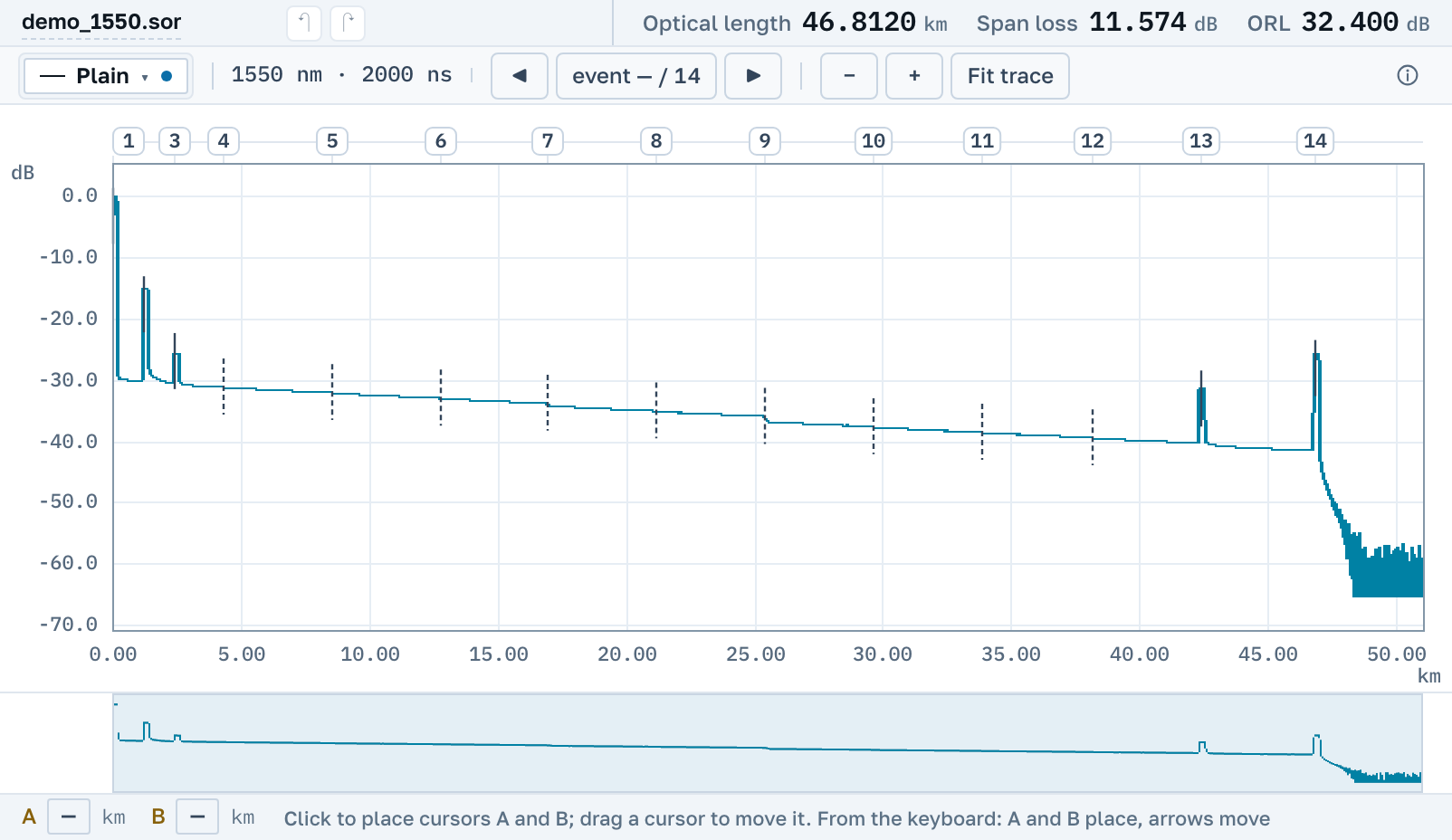
What you will see
One Fluke record holds several traces, and each opens on its own, labelled with its wavelength, the fibre end and whether it is a channel map.
The trace
The trace with zoom and cursors A and B, with 2P and LSA readings between them. Several traces can be laid over one another on a single chart.
Events
For the OptiFiber Pro the instrument's event table opens. For the older OptiFiber it is not read yet, and “Our analysis” finds the events on the trace.
A .sor file
The trace can be saved as an ordinary Telcordia .sor. Any other maker's software opens it, and it can go to a contractor who has no LinkWare.
No need to install LinkWare
Fluke's own program for .tst files is LinkWare PC. It runs on Windows, has to be downloaded and installed, and is built above all for copper certification.
Here the file opens in the browser: on Windows, macOS and Linux, on a tablet and on a phone. No account needed. The PDF report and a link for a colleague are made right there, free.
Three different formats with one extension
Fluke's .tst covers three incompatible formats, and the file name does not tell them apart. We tell them apart by their content.
OptiFiber Pro
The OTDR module of the Versiv platform. The instrument's event table opens along with the trace.
OptiFiber, early firmware
The OF-500 of the early 2000s. One record can hold both fibre ends and a channel map.
OptiFiber, later firmware
The same OF-500 on newer firmware. It records differently, and before this such a file would not open.
At 1310 and 1550 nm the instrument samples at different steps, so one event can land a fraction of a metre apart on the two wavelengths: that is how the instrument itself recorded it.
Nearby
.sor file→
OTDR trace report as PDF→
Several traces on one chart→
How to read an OTDR trace→
Downloading OTDR software, and when you do not need to→
What the events on a trace mean→
By manufacturer
OTDR Master works independently of instrument makers. Fluke, Fluke Networks, OptiFiber, Versiv and LinkWare are trademarks of their owners; we are not affiliated with the company and do not publish its software, we only read the files its instruments write.